In this article, you’ll learn how to implement an accessible Hugo figure shortcode with a real caption and predictable resource handling. That matters because durable engineering comes from understanding trade-offs, not merely reproducing a command or pattern.
I had an article I wanted to post but knew with the number of images I planned on including, it will look unsightly. The first idea I had to make it less so, was to indent the image to break up the page a little. The next idea I had was to include a caption under each image.
Knowing that HTML has an element called figure, I decided to use this. I didn’t want anything complicated so I planned to keep the code to a minimum.
When creating shortcodes, you add a file to the 📁 layouts\shortcodes\ folder.
The name of this file is important. This name is what you used to invoke that shortcode. I decided to call my figure.
I created this file and called it figure.html.
I added my HTML. I’m using hugo expressions within the HTML to obtain the attribute values from the eventual declaration:
<figure>
    <img src="{{ .Get "src" }}" alt="{{ .Get "alt" }}">
    <figcaption>{{ .Get "caption" }}</figcaption>
</figure>
To add a declaration to my markdown post, I would add something similar to this:
{{< figure
    src="/blog/img/2024-02-25-10-54-40.png"
    alt=""
    caption=".NET Aspire dashboard" >}}
This particular example will produce this output:
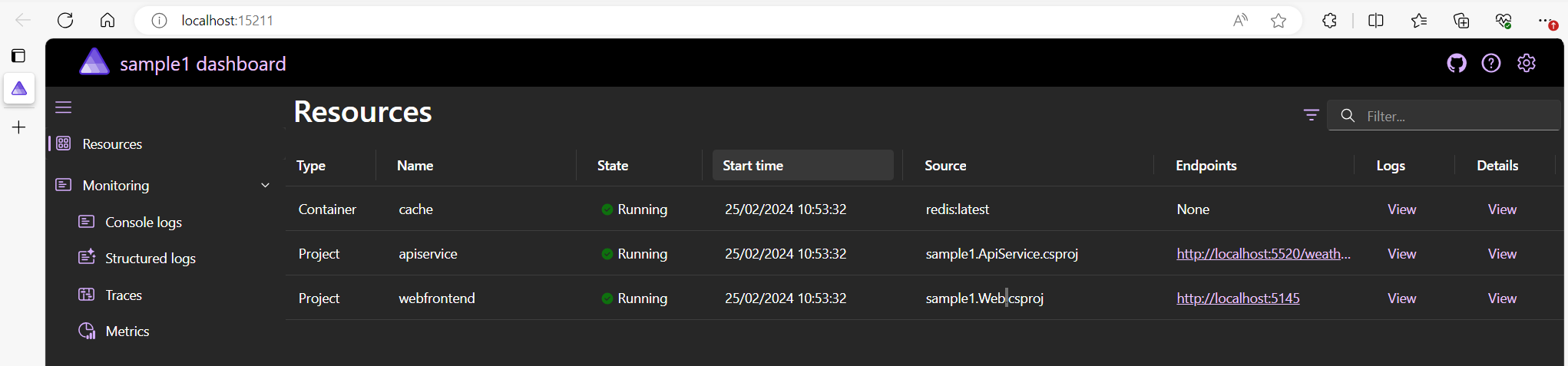
You should see both an indentation and caption.
There you have it, a short and simple example of applying an indent and a caption to an image to break the page up.
You can see this shortcode being used here in this particular post ➡️ .NET Aspire and Redis.
I’m not sure I’m happy with it’s name. On reflection, I will likely change this to caption.
Deepening the article
Prefer semantic output
The rendered structure should be a figure containing the image and, when supplied, a figcaption. A caption is visible context; alternative text is a replacement for readers who cannot perceive the image. Repeating the caption verbatim in alt text creates noise.
{{ $src := .Get "src" }}
{{ $alt := .Get "alt" | default "" }}
{{ $caption := .Get "caption" }}

<figure>
  <img src="{{ $src | safeURL }}" alt="{{ $alt }}">
  {{ with $caption }}
    <figcaption>{{ . | markdownify }}</figcaption>
  {{ end }}
</figure>
Resolve page resources when the image belongs to a page bundle so Hugo can validate and process it. Do not apply safeHTML to arbitrary parameters. If remote image URLs are permitted, define that policy explicitly and consider privacy, availability, and content-security implications.
A production shortcode can also accept width and height, generate responsive sources, and surface a build error when a required local resource is missing. The goal is not just less Markdown; it is one well-tested accessibility and performance policy used everywhere.
References
Closing thought
A figure shortcode is successful when every image gains consistent meaning, accessibility, and layout—not simply a border and a line of text beneath it.