In this article, you’ll learn how to inspect Terraform plan changes using the supported JSON representation instead of scraping human-readable output. That matters because a plan is a proposal derived from configuration, state, provider behavior, and refreshed infrastructure—not a simple inventory.
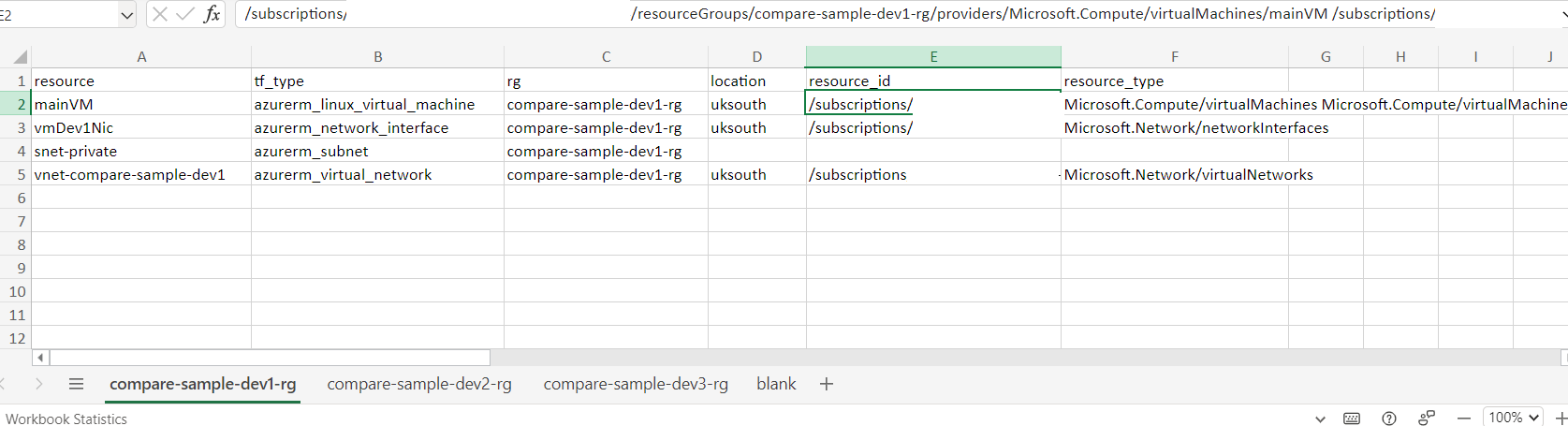
I needed to list the Azure resources Terraform proposed to create when reliable state was unavailable, then group them by resource group in a spreadsheet. The sheet gave reviewers a visual reconciliation aid and a place to check naming conventions.
The companion repository contains the original example.
Use the plan as data
Save the plan and ask Terraform for its documented JSON representation:
terraform plan -out tfplan
terraform show -json tfplan |
  Set-Content -Encoding utf8 tfplan.json

$plan = Get-Content tfplan.json -Raw | ConvertFrom-Json
$creates = $plan.resource_changes | Where-Object {
  $change = $_.change.actions
  $change.Count -eq 1 -and $change[0] -eq 'create'
}
The example still uses PowerShell’s pipeline variable, but the Markdown is no longer built through a regex replacement, so it remains literal.
Inspect change.actions instead of parsing terminal symbols or prose. An action can be create, update, delete, no-op, read, or a replacement expressed as delete and create. Preserve module addresses and for_each keys; grouping only by resource type loses identity that matters during reconciliation.
Know what the plan cannot prove
If state is missing, Terraform may propose creating resources that already exist. A spreadsheet comparison is therefore an investigation tool, not evidence that apply is safe. Confirm ownership and import existing resources into managed state where appropriate, then review a fresh plan.
Plan files and their JSON can contain sensitive values even when terminal output redacts them. Keep them as protected, short-lived artifacts and never commit them. Also record the Terraform and provider versions used to create the plan, because the binary plan must be applied with a compatible environment.
For a repeatable report, export the full resource address, provider, action sequence, resource group where known, and whether values remain unknown until apply. Separate facts in the plan from annotations added by the reviewer.
References
Closing thought
A Terraform plan is most useful when it narrows uncertainty; the moment it is treated as certainty, automation becomes a faster route to the wrong conclusion.